Monday, 1 October 2012

Be More Productive With iOS 6!

Some things we cannot do with an iPad we can do with laptops. So, many sell their iPad in exchange for laptops. But then again, we hate carrying laptops in our bags, right? Because of the new operating system of Apple, there are several improvements on your iPad that can now help you become more productive.

Contacts


Using the iPad, you can now also search all the fields in the Contacts list. This will be very useful to people who have numerous people on their list to keep tract of. You can now easily find everyone in your address book depending in their “Job” or “Location.

Mail


Receiving a dozen e-mail messages is part of everyday life for some. So, if you suddenly receive an important message, you might not notice it because of the other messages dumped into your folder. Apple added some features that will make this problem smaller.

With the new operating system, you can now make your contacts VIP, like your boss, partner, spouse, or anyone else. So when that VIP sends you a message, it will appear in the VIP folder. It appears in the Inbox too, but with a star next to it for you to know that it’s a VIP message.

You can also put flags on your messages, and they will appear in another folder so that you can keep track of them.

Don’t worry about the memory storage because you will only have one file for each message even if they are in many different folders. They are not copied, but they just show themselves in those folders. So when you change a file in one folder, then it will also change in the rest.

If you do not want your automated signature to appear in some messages you want to send, iOS 6 now allows users to set separate signatures for different e-mails. This will save you time changing them manually.

You can now also add images of videos to an existing message, meaning you can now reply to an e-mail with a photo.

If you are worried about security, you can now open the new iOS Word files that you receive as attachments with password protection.

Maps


Although the Maps app of the new operating system received negative reviews from many, the good thing about the app is that it has spoken navigation. This will be very handy if you are lost and you need help finding a place.

Safari


One feature added in the iOS 6 is the ability to upload images to websites. This will be very handy for those who work with pictures as part of their job.

Another improvement in the Safari browser is that if you have another iDevice with you, your iPad can see the URL sites you visited using your other iDevice, like an iPhone.

FaceTime

One of the most lauded apps in the iPad is FaceTime which is the best app when it comes to talking face to face. It offers a great video-chatting service. Now you see the person you are talking to using the free FaceTime app, and at the same time, he is seeing you!

But of course, FaceTime was already in the previous operating system. It’s improved because now you can make FaceTime calls if you’re connected to a wireless network like AT&T and Verizon, unlike before when you could only use FaceTime with Wi-Fi.

See, you can now be more productive with the iPad because of the new iOS 6. However, this operating system does not support the iPad 1, so why not sell iPad 1 at CashforiPads.com.

Thursday, 27 September 2012

Multitasking With the New iPad

image credit to appadvice.com
Many pundits found the original iPad almost flawless when it was released in 2010. It was regarded as the best tablet PC yet. However, some users found it disappointing when they tried to view some videos online. The iPad 1 could not play videos that ran on Adobe Flash player, which was the major online video player. Another missing feature from the iPad was the function to multitask. It could not run multiple applications at the same time. Some even sold their iPads just to get a laptop, which is, of course, far more efficient. Because of this, users could not look at the iPad more than just a novelty; certainly never a device for serious work.

The second generation of the iPad, which was released in March 2011, Apple developed to be almost similar to a standard computer: It can now multitask. If you want to toggle back and forth between one app to another, you can now do so with the iPad 2 without turning off the app. There are several ways to multitask.

Multitasking can now be done with the iPad because of the iOS 4.2. In this operating system, you just tap the iPad’s Home button twice to see the recently used applications and select the one you want to use now. If the iPad is in portrait mode, meaning the screen is vertical, six app icons are on the Multitask Bar; in landscape (the screen is horizontal), there are six icons in the bar.

image credit to smokingapples.com
You can close an app by removing it from the Multitask bar. You just press down on an app and hold it until it vibrates. Tap the minus sign on the app you want to close.

With the Multitask Bar, you save time and energy. You can copy and paste data from one app to another with the multitasking function. It also lets you go from one app to another without closing the first app, letting you go back to your previous work. Besides, who uses just one app, anyway? With the Multitask Bar, you do not have to sell your iPad to buy a laptop because it is not as good as the latter.

However, there can be a bad side whenever you multitask. Imagine doing all this work at the same time: You are typing an e-mail, while receiving calls, then someone comes in the room and asks you to do this and that. Your head might explode with too many tasks. Maybe it is not really multitasking, since you switch from one task to another.

One disappointment brought to Apple users was that the new iPad did not have the iOS 5 operating system. The If the new iPad has this new OS, then it allows the user to bring up the Multitask Bar by swiping four or five fingers on the screen, which is not available in the new iPad’s OS. You can also swipe left or right to view and switch apps.

See, Apple really wants its customers to have better tablet experience than any other tablet companies. Who says you cannot multitask with the iPad?

If you have an old or broken iPad, try selling it at CashforiPads.com!

Wednesday, 26 September 2012

Must-Have Accessories for Your iPad

The Apple tablet PC known as the iPad is the most loved tablet we have today. It is very efficient and useful in many things like reading books and periodicals, watching movies, playing games, listening to music, surfing the web, and many more. Buying an iPad is a good investment for some. Moreover, once it is broken, it is very easy to get rid of it by selling old iPads online.

iPad users must keep in mind that there are accessories for iPads out there that are pretty important. Here are some accessories for your iPad that can extend the life of your iPad for a long time.

Bluetooth Headsets

image credit to poeartry-combo.com
Although headsets are very cheap, sometimes it costs you a lot whenever it gets broken like having the wires snapped. You can easily distinguish if the headset is broken or not because you your favorite music you listen to always sounds different now. With a Bluetooth headset, you can listen to your music without any worries about the wires. You will also save a lot of money from having this instead of the vulnerable earphones.

Home Chargers

image credit to amazon.com
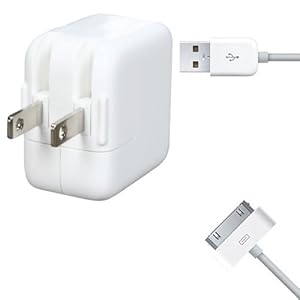
Obviously, your gadget will not run without electricity. That is why chargers are important. It is very good to have two chargers: One for home, another for work. Try not to overcharge it though. This might lead to overheating that will greatly affect the battery life of your tablet. Once the battery gets affected, the best thing to do is to sell iPad. Moreover, Apple chargers have built-in IC for charge protection.

Desktop Chargers

image credit to amazon.co.uk
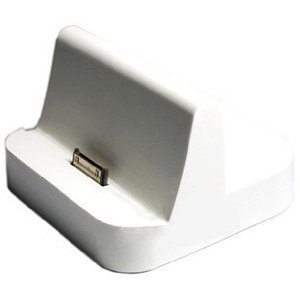
Desktop chargers are very useful in such a way that they act as chargers and USB connectors for iPads and computers. They allow you to charge, synchronize and keep your tablet updated. This kind of chargers also allows you to charge additional or spare batteries.

Car Chargers

image credit to mrgadget.com.au
Sometimes, we run out of batteries on the way to work, or we forget to charge our tablets at home. However, with a car charger, you can now drive while charging your tablet. Charge your tablet with a 12-V DC car plug. This charger also has built-in IC for safe charging.

Cases

image credit to freeipads4u.com
To prevent scratches and dents, you must have an iPad leather case. Cases not only provide protection for your iPad, but also give it style and convenience. With a case, you can customize your iPad to make it look different from the iPads of other users. In short, cases give you protection and beauty for your iPad.

Data Cables

image credit to mallextreme.com
You definitely need this accessory if you want to transfer data from your PC to your iPad, or vice-versa. With a data cable, you can have a link between your iPad and your computer. It can also sync and back-up your contact list, music and other things on your iPad.

Screen Protectors

image credit to ipartsuk.com
Who wants scratches on the screen of their iPad? It is better to have a screen protector to prevent dust, fingerprints and scratches from your iPad’s screen. Most protectors nowadays are custom-made for the iPad so you do not have to worry about cutting it. Moreover, an iPad free from scratches will also give your higher price quote once you decide to sell iPad online.

Wireless Keyboard

image credit to laptop-computer-planet.com
You know how hard it is to type on an iPad. It makes your finger joints sore. With a wireless keyboard, you will find it easy to type any text you want. It is like turning your iPad into a laptop. 

Tuesday, 25 September 2012

The iPad Mini Rumor Roundup

There is so much talk about the coming of the iPad Mini that people are getting excited to sell iPad in preparation for its launch. There is a lot of information as to when this will be made available, and people are getting confused. For a long time, Apple has never been expected to join the competition between Amazon and Samsung (and lately, Google) for dominance in the smaller tablet PC market. After all, Steve Jobs was reputed to be against the production of a smaller iPad.
But then, for the past two years, we have been treated to countless leaked photos of the alleged gadget. 

image credit to digitaltrends.com

People were even expecting it to be launched with the iPhone 5 in the September 12 event. Rumors, leaked photos, and supposed features have been circulating on the Internet. This has made people more and more excited in anticipating its launch and release date, although launch of the device did not happen.

Since 7-inch tablet PCs have become famous and preferred by a lot of users, it is not unusual for the Cupertino, CA tech giant to enter into this market, although it was said before that they would never produce a small iPad. But things changed, and now we see the company seemingly responding to the public clamor to have their own small tablet PC made available. People from the company, especially after Jobs’ death, now believe that there is a separate market for this smaller version of their successful iPad and will not encroach on its territory. Moreover, recent court evidence has shown that Jobs was actually receptive to the idea of a smaller iPad.

The smaller iPad is said to be released sometime in October and not in September as was initially thought. Rumor has it that Apple did not want the focus of the people to be divided between the iPad Mini and the iPhone, and wanted the spotlight only on the latter. They say that the iPad Mini deserves its own time in the spotlight, so we can only deduce that it will have its own launch and release date in the future. So, until then, it may be a good idea to start entertaining plans to sell your iPad.

The iPad Mini is said to have a screen size between 7 to 7.85 inches, although there are reports saying it might have a 9-inch screen, comparable to the kindle Fire HD. As to it having a Retina Display, it still remains to be seen. Internal storage is placed at 8 GB, much like that of the Nexus 7 and the first generation of Kindle Fires. Other features are yet to be discovered and will only be known when the time comes for the company to announce its launch to millions of eagerly anticipating loyal followers. So hold on to your devices folks and don’t sell iPad yet until the word becomes official. Be quick on your reflexes though, as a day late will already decrease your iPad’s value.

Monday, 24 September 2012

Why Siri Is Absent From the New iPad

Many iPhone users today believe that the best feature of the most beloved smartphone is Siri, the voice-command feature available on the iPhone 4S and 5. The Siri technology makes it easy for iPhone users to use since they can state a command while their hands are kept busy with something else. It also stands as your own guide in almost everything: Cooking, driving, finding locations, and many more. Because of the positive reviews of the Siri technology, many Apple fans expected that the new iPad would have this feature. So many were really surprised (or even disappointed) that Siri was absent from the new iPad. So is it still worth selling your old iPad and replacing it with a new one?

How come Siri is not on the new iPad when in fact, it was much lauded by many iPhone users? Many even considered it everyone’s best friend that could convert your voice into written text. Siri is like your voice-operated scheduler that will constantly remind you about the things you need to do. So why then, again, is it not on the new iPad where you can do almost everything—the iPad that has almost everything?

Apple Can Never Go Wrong With Her

image credit to  cultofmac.com
Is it because Apple is scared of her? If you think about it, if Apple had put Siri on the new iPad, Apple’s tablet PC would have been given a boost against Google’s tablets. Another thing is, if the new iPad had Siri, “she” would have been a permanent part of Apple’s identity for all its electronics. Since Siri is a famous “lady” now for most of the iPhone generations, why not adopt her into the new iPad family, right? It was so obvious that Apple would add such feature onto the iPad that everyone was surprised when they were wrong.

Many people believe that if the new iPad had Siri, old iPad users will surely sell their old iPads, either 1 or 2, just to meet her. Besides, Siri has a feature that lets you use “natural language.” Moreover, the main reason Siri is the most famous voice-command technology is that she was given a certain level of personality; something that is lacking in previous and current voice-command technologies. Apple can even go further by giving her a human face.

Is Apple Right About Keeping Siri Out?

image credit to appadvice.com
Obviously, even without Siri, the new iPad still can stand on its own. Customers will just accept the affect that Siri is not there. And Apple is right. Besides, the new iPad has enough features to help it stand on its own without Siri, like improved gaming cores, the Retina Display technology, and a better camera. With all its new features, a voice-command is something that is lacking.

If you are the type of person who can manually compose your message, or schedule an appointment in a calendar, or maybe look up directions on the map with your fingers, then the new iPad is still a must-have. Besides, having Siri will just give you another reason not to do what you can do easily.

So, even without Siri, you can sell your iPad 1 or 2 and get a new one.